
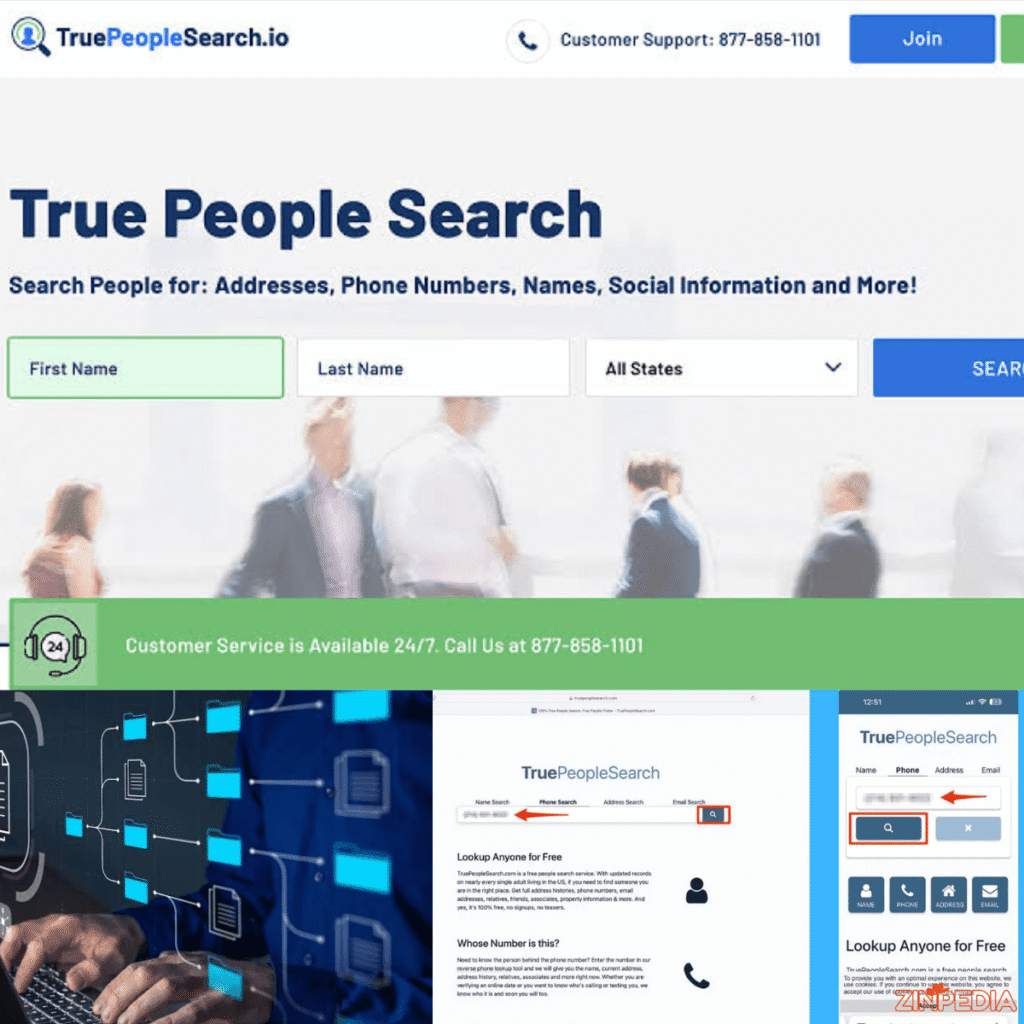
Searching for a person online used to mean checking phone books, public directories, and social media profiles one at a time. People-search websites now collect information from multiple sources and display it in one searchable profile.
TruePeopleSearch is one of the better-known services in this category. It may allow users to search for a person using a name, phone number, or street address without purchasing a traditional subscription.
That convenience also creates understandable privacy concerns. A listing may display old addresses, possible relatives, telephone numbers, and other details that someone may not want to be publicly accessible.
This guide explains how TruePeopleSearch works, what its free searches may reveal, how to use phone and address lookup features responsibly, and how to submit a TruePeopleSearch removal request when your own information appears on the platform.
Privacy notice: Use people-search tools only for lawful and ethical purposes. Never use personal information to threaten, harass, impersonate, stalk, discriminate against, or endanger another person.
What Is TruePeopleSearch?
TruePeopleSearch is an online people-finder service designed primarily for searches involving people in the United States.
Instead of creating all its records directly, a people-search platform may collect and organize information from sources such as government records, public directories, publicly viewable profiles, and other data providers. The Federal Trade Commission describes people-search websites as a type of data broker that compiles information from public records, public social media profiles, and other data brokers.
A TruePeopleSearch profile may include information such as:
- A person’s full name
- Approximate age
- Current or previous addresses
- Landline or mobile phone numbers
- Possible email addresses
- Relatives and associates
- Possible business connections
- Other names associated with the person
The official TruePeopleSearch app listing describes searches by name, phone number, and address. It also states that results may contain address histories, phone numbers, relatives, associates, emails, and possible business listings.
However, a people-search profile is not the same as an official identity record. It is an aggregation of information that may have been collected at different times and from different sources.
For that reason, users should treat the results as possible leads rather than unquestionable facts.
Is TruePeopleSearch Free?
One reason the website attracts so much attention is its free-search model.
The service is promoted as allowing people to search without paying for a conventional subscription or purchasing an individual report. Its official app listing describes its name, phone number, and address search tools as free.
A typical free search may begin with one of the following:
- A first and last name
- A city or state
- A complete phone number
- A street address
- A combination of identifying details
Users should still read each page carefully. People-search websites frequently display advertisements, sponsored links, or links to third-party services. A button near a search result may lead to another company that charges for a more detailed report.
Therefore, “TruePeopleSearch free” does not necessarily mean that every advertisement, partner website, or external report shown near the results is free.
Before entering payment information, check:
- Which company is providing the report
- Whether the service requires a subscription
- Whether the subscription renews automatically
- Which information is included
- How cancellation works
- Whether the report is suitable for the intended purpose
Avoid entering a credit card merely to see basic information unless you understand the offer and its billing terms.
How to Use TruePeopleSearch by Name, Phone Number, or Address
TruePeopleSearch generally supports three major search methods. The most appropriate method depends on the information you already have.
Search for a person by name
A name search is useful when you know someone’s first and last name but need help distinguishing that person from others with a similar name.
For better results, add a location such as:
- Current city
- Previous city
- State
- ZIP code
- Approximate age
For example, searching for a common name without a location may produce dozens of possible profiles. Adding a city or state can narrow the results.
When reviewing profiles, compare several details rather than relying on one matching field. A matching name alone does not prove that you have found the correct person.
Look for consistency across:
- Age range
- Known city
- Previous locations
- Possible relatives
- Partial phone information
Do not assume that every listed relative, associate, address, or telephone number is current or accurate.
Use TruePeopleSearch for a phone number lookup
A reverse phone lookup begins with a telephone number rather than a person’s name.
The official app listing says users can enter a phone number, including its area code, to search for information associated with it.
This feature may be useful when:
- An unknown number repeatedly calls you
- You want to identify a possible business caller
- You are checking whether an old number is still associated with someone you know
- You are reviewing which information appears under your own telephone number
Enter the complete number, including the area code. The results may show a possible owner, previous user, associated address, or related records.
Keep in mind that phone-number results can be misleading. Numbers are frequently:
- Reassigned to new customers
- Transferred between carriers
- Shared by families
- Used by businesses and employees
- Spoofed by scammers
- Connected to outdated directory records
A displayed name does not prove that the named person made the call. Caller-ID spoofing allows a scammer to make a call appear to come from a different number.
Never accuse, threaten, or publicly identify someone based only on a reverse phone search.
Use TruePeopleSearch for an address lookup
A reverse address search begins with a street address. The official TruePeopleSearch app listing states that users can enter an address with its city and state to perform this type of search.
An address result may display:
- Current or former residents
- People associated with the property
- Possible phone numbers
- Previous address connections
- Property-related information
Legitimate uses may include checking your own address exposure, identifying outdated directory information, or confirming publicly available contact details before sending ordinary correspondence.
An address search does not necessarily identify the current legal owner or every present resident. Rental turnover, family relationships, business registrations, delayed updates, and historical records can all affect the results.
For ownership, tax, zoning, or legal property information, consult the relevant county recorder, assessor, land registry, or other official government source.
How Accurate Is TruePeopleSearch?
TruePeopleSearch can be useful as a starting point, but users should not assume that every result is complete, current, or correct.
People-search sites build profiles by combining information from multiple databases. The FTC explains that these sources may include property records, voter registration information, professional licences, court records, birth records, marriage records, divorce records, and other public information.
Because those records are created and updated independently, a single profile may mix:
- A current phone number with an old address
- Two people with similar names
- Former and current residents
- Relatives with unrelated associates
- An old email address
- A previous owner of a recycled phone number
- A business address with a residential profile
A practical way to assess a result is to look for agreement across several independent details. One matching field is weak evidence; multiple consistent fields provide greater confidence.
Do not rely on people-search results for important decisions
A casual people-search result should not replace a properly authorized and legally compliant background check.
The Federal Trade Commission explains that reports used to determine eligibility for employment, housing, credit, insurance, or similar purposes may be governed by the Fair Credit Reporting Act. These reports carry requirements concerning permissible purpose, accuracy, disclosure, authorization, and consumer rights.
Do not use an ordinary people-search profile to decide whether someone should receive:
- A job
- A promotion
- A rental property
- A loan
- Credit
- Insurance
- Another regulated benefit or opportunity
Businesses needing background information for such decisions should use an appropriate screening provider and follow all applicable federal, state, and local laws.
TruePeopleSearch Removal: How to Remove Your Information
You may decide to remove your profile because it displays your home address, phone number, relatives, or other personal details.
Current removal guides indicate that TruePeopleSearch provides a free opt-out process. The interface may change, but the general procedure involves opening the removal page, providing an accessible email address, confirming the request through email, locating the appropriate record, and submitting it for removal.
Step 1: Find your profile
Search for yourself using:
- Your full name
- Your city and state
- Your current address
- A previous address
- Your telephone number
Open each profile that might belong to you and review it carefully.
There may be more than one listing because of name variations, previous locations, duplicate records, or outdated information.
Make a private note of each relevant profile. Do not publish screenshots containing your address, phone number, email, or relatives’ information.
Step 2: Open the official removal process
Go to the removal or privacy-request section of the official TruePeopleSearch website.
Confirm that the domain is correct before entering personal information. Copycat websites may use similar names, branding, or search-result descriptions.
The removal form may ask for:
- Your name
- An email address
- Confirmation that you are the subject of the request
- A CAPTCHA or human-verification check
- Agreement to removal-related communications
Use an email account you can access immediately, since email verification is usually required.
For additional privacy, some people create a dedicated email address for data-broker removal requests. Avoid using an address that publicly reveals unnecessary personal details.
Step 3: Open the verification email
After submitting the initial request, check your inbox and spam folder.
Current removal instructions indicate that TruePeopleSearch sends an email containing a verification link. That link may expire, so complete the next step promptly.
Do not click an unexpected link without checking:
- The sender
- The destination domain
- Whether you recently initiated the request
- Whether the message asks for unnecessary payment or sensitive credentials
A legitimate opt-out process should not require your online banking password, social media password, or credit-card PIN.
Step 4: Identify the correct listing
Follow the verification link and provide the information needed to identify your profile.
Depending on the current interface, you may need to search for your record again or select the profile you want removed.
Check the record carefully before submitting it. You do not want to request removal of another person’s profile simply because the person has a similar name.
Step 5: Submit the removal request
Select the removal option associated with your record and confirm the request.
Current guides report that removal may take up to approximately 72 hours after confirmation. They also note that each separate profile may need its own request.
Processing times and procedures can change, so follow the confirmation message shown during your request.
Step 6: Check the result
Return after the stated processing period and search for yourself again.
Check using more than one identifier:
- Full name
- Name and city
- Current phone number
- Old phone number
- Current address
- Previous address
If one profile is gone but another remains, submit a separate removal request for the remaining listing.
What TruePeopleSearch Removal Does—and Does Not Do
Removing a TruePeopleSearch profile can reduce the immediate visibility of your information on that particular service. It does not erase your identity from the internet or remove the original government records from which information may have been collected.
The FTC warns that opting out of a people-search website may not remove information appearing through the profiles of relatives, neighbours, or associates. Information may also reappear after public records change or a broker receives new data.
A removal request generally does not:
- Delete property records from a county database
- Remove voter records where they are legally public
- Erase court records
- Remove information from every other people-search website
- Delete search-engine copies immediately
- Prevent new records from appearing later
- Remove information that another person has published
That is why online privacy management should be treated as an ongoing process rather than a one-time action.
Check other people-search websites
Search for your name, address, and phone number on other major people-finder platforms.
The FTC recommends locating your information on each site, finding its opt-out procedure, submitting a request, and periodically checking whether the information has reappeared.
Review search-engine results
Search for combinations such as:
- Your full name in quotation marks
- Your name and city
- Your phone number
- Your email address
- Your street address
When a removed webpage still appears in a search engine, the result may disappear after the page is recrawled. Search engines may also provide tools for requesting removal of outdated cached results or certain sensitive personal information.
Removing a search result does not necessarily remove the information from the source website. The source and search-engine copy may need to be addressed separately.
Tighten your public profiles
Review privacy settings on:
- X
- TikTok
- Public forums
- Professional directories
- Business profiles
Remove unnecessary public details such as your personal phone number, complete birth date, home address, or family information.
Check your information periodically
Repeat your privacy audit every few months or after:
- Moving to a new address
- Changing your phone number
- Purchasing property
- Registering a business
- Updating public licences
- Experiencing harassment or unwanted contact
A new public record may cause an old or previously removed profile to return.
Use state privacy tools when available
California residents can use the state’s Delete Request and Opt-out Platform, known as DROP, to request deletion from registered data brokers through a centralized system.
California’s privacy agency states that DROP can send a deletion request to more than 600 registered data brokers. The platform became available to consumers in 2026, and registered brokers were scheduled to begin processing DROP requests on August 1, 2026.
Eligibility and rights vary by location. Residents of other states should check their state attorney general’s website or privacy regulator for current consumer privacy protections.
How to Use People-Search Information Responsibly
People-search tools can help reconnect acquaintances, review your digital footprint, identify a possible business caller, or locate outdated information about yourself.
They can also expose information that creates safety risks.
The FTC specifically notes that survivors of domestic violence or stalking may not want their addresses or family connections to be publicly discoverable.
Follow these principles:
- Search only for a legitimate and lawful reason.
- Respect a person’s decision not to communicate.
- Do not publish addresses or phone numbers.
- Do not use the data to intimidate or embarrass someone.
- Verify information through appropriate sources.
- Never pretend to be the person in the listing.
- Do not use casual search results for regulated eligibility decisions.
- Stop contacting someone when asked.
- Report threats or immediate danger to the appropriate authorities.
When searching an unknown phone number, remember that spoofing and reassignment can connect an innocent person to a call they did not make.
When searching an address, remember that a listed person may have moved, may never have lived there, or may be connected only through a historical record.
Responsible use requires caution, verification, and respect for privacy.
Frequently Asked Questions
Is TruePeopleSearch really free?
TruePeopleSearch promotes its basic name, phone number, and address lookup tools as free. However, advertisements or third-party report providers shown near the results may charge fees or require subscriptions. Always confirm which company is requesting payment.
Can I search for someone by phone number?
Yes. TruePeopleSearch offers a reverse phone number lookup. Enter the full number with its area code. The result may show a possible name, address, or associated profile, but it may be outdated or incorrect.
Can I search for someone by address?
Yes. A reverse address lookup may display people currently or historically associated with an address. It should not be treated as definitive proof of current residency or legal property ownership.
Why is my address on TruePeopleSearch?
Your address may have been collected from public records, directories, another data provider, or a record associated with your name, phone number, household, business, or property.
Is TruePeopleSearch a background-check service?
It is a people-search and public-information aggregation service. An ordinary people-search profile should not replace a legally compliant background check for employment, housing, credit, insurance, or another regulated decision.
How do I complete a TruePeopleSearch removal request?
Locate your record, open the official removal page, submit the requested details, verify your email, select the correct record, and confirm removal. Check the site again after the stated processing period.
How long does TruePeopleSearch removal take?
Current removal guides state that a confirmed record may take up to approximately 72 hours to disappear. Actual timing can vary, and the website’s current confirmation notice should be treated as the most relevant instruction.
Do I need to pay to remove my information?
The direct TruePeopleSearch opt-out process is generally presented as free. Paid privacy services are optional and may submit removal requests to multiple data brokers on a customer’s behalf.
Will removal delete my information permanently?
Not necessarily. It may remove the selected profile from TruePeopleSearch, but it will not erase the original public records. Information may also reappear if the platform receives new or updated data.
Can I remove another person’s information?
You should submit a privacy request only when you are authorized to act for the person concerned, such as when managing your own record or legally representing another individual. Do not falsely claim to be someone else.
What should I do if my information remains visible?
Check whether there are multiple profiles, confirm that you completed the email-verification step, wait for the stated processing period, and submit another request for any separate listing. Keep copies of confirmation messages without publicly sharing sensitive information.
Is it legal to use TruePeopleSearch?
People-search services can have legitimate uses, but the way information is used matters. Harassment, stalking, impersonation, discrimination, threats, fraud, and certain regulated screening activities may violate laws or platform rules.
Conclusion
TruePeopleSearch provides free tools that may help users search by name, phone number, or address. Its convenience comes from combining information that might otherwise be spread across public records, directories, and other databases.
The results should be treated carefully. A listed phone number may have been reassigned, an address may be outdated, and relatives or associates may be connected incorrectly. Important information should always be verified through an appropriate source.
For people concerned about privacy, the TruePeopleSearch removal process generally involves finding the correct profile, submitting an opt-out request, confirming it by email, and checking that the record disappears. Removal can reduce exposure on that service, but it does not erase the original public records or guarantee that the information will never return.
The most effective privacy strategy is broader: remove profiles from multiple people-search websites, review public social accounts, reduce unnecessary personal information, check search results regularly, and use official privacy-rights tools available in your state.
Explore More Helpful Articles– Visit Now