
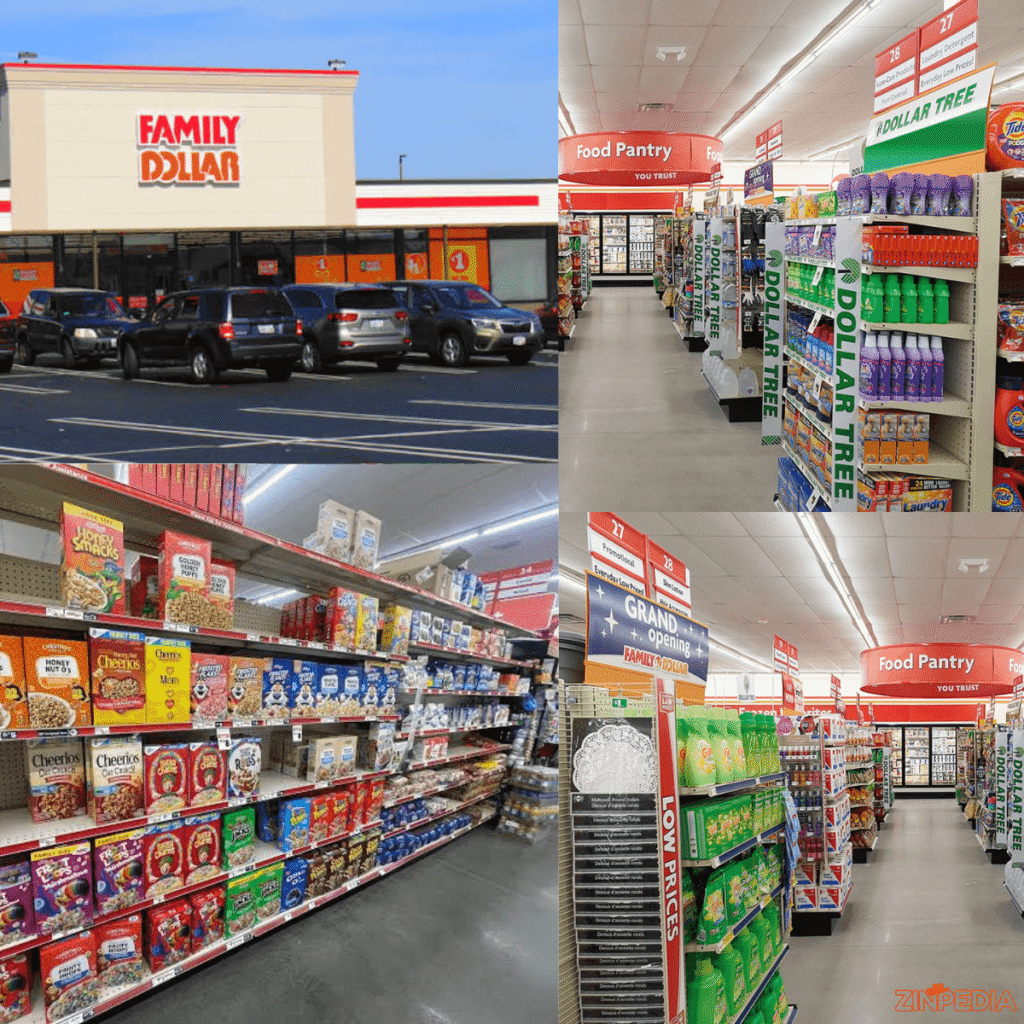
Need affordable groceries, household supplies or personal-care products without visiting a large supermarket? Family Dollar may offer a convenient option close to your home or workplace.
People searching for Family Dollar usually want one of four things: information about the company, the nearest store, current weekly deals or available jobs. This guide brings all of that information together in one place.
You will learn how to find a Family Dollar near you, check store hours and services, use the Family Dollar weekly ad, save with digital coupons and apply for Family Dollar careers safely through the official employment website.
What Is Family Dollar?
Family Dollar is an American discount retailer that sells everyday products for households and families. Its stores carry groceries, beverages, cleaning products, health and beauty items, pet supplies, clothing, school supplies, seasonal merchandise, toys and basic home products. The official website also provides online shopping, digital coupons, weekly ads and same-day delivery in eligible areas.
Despite the name, products at Family Dollar are not limited to a price of one dollar. The retailer follows a value-focused model, offering products at different price points. The main idea is convenience: customers can purchase food, cleaning supplies and personal items during one relatively quick shopping trip.
Family Dollar was part of Dollar Tree for approximately a decade. On July 7, 2025, Dollar Tree completed the sale of the Family Dollar business to Brigade Capital Management and Macellum Capital Management for a base purchase price of approximately $1.01 billion.
Today, the Family Dollar brand continues to operate thousands of locations across the United States. However, individual locations may differ in operating hours, available products, services and promotions. Customers should therefore select their local store before relying on prices or weekly offers shown online.
Family Dollar at a Glance
| Feature | What Customers Should Know |
|---|---|
| Store type | Discount variety and neighborhood retail store |
| Main products | Food, household supplies, personal care, clothing, seasonal goods and pet supplies |
| Product prices | Multiple price points, not everything costs one dollar |
| Weekly deals | Available through local weekly ads and digital books |
| Digital savings | Smart Coupons can be clipped through an account or the mobile app |
| Store finder | Search by city, state, ZIP code or store number |
| Careers | Store, distribution-center and corporate positions |
| Online options | Online ordering and same-day delivery may be available in eligible locations |
How to Find a Family Dollar Near Me
Searching “Family Dollar near me” on Google can provide quick results, but the official Family Dollar store locator is usually the better option for confirming store-specific information.
The official locator allows customers to search by:
- City
- State
- ZIP code
- Store number
- Current device location
You can switch between list and map views and use filters to find stores offering particular services. Available filters may include EBT, refrigerated foods, ATMs, propane, helium, ice, bill payment, water machines and Amazon Lockers. Not every service is offered at every location.
Steps to Locate the Nearest Store
- Open the official Family Dollar store locator.
- Enter your city, state or ZIP code.
- Allow location access when you want the locator to use your current position.
- Review the nearby stores displayed on the map or list.
- Select a location to view its address, telephone number, directions, opening hours and available services.
- Set the location as your preferred store before checking local advertisements or product availability.
A store page may also display links for its weekly ad and same-day delivery when those services are available. Because store hours can change during holidays, severe weather, renovations or local events, checking the store page shortly before your visit is a sensible step.
What to Check Before Visiting
Do not choose a location based only on distance. A store that is slightly farther away may have the service or product category you need.
Check these details first:
- Opening and closing times: Hours can vary between locations.
- Local services: Confirm EBT, bill payment, refrigerated food or other required services.
- Weekly offers: Some advertised prices and promotions vary by store.
- Delivery availability: Same-day delivery is not available for every product or location.
- Contact number: Call the store when you need to confirm a specific product.
The official website states that product selection, pricing and promotions may differ between stores and online. It also warns that certain products may not be carried at every location.
What Can You Buy at Family Dollar?
Family Dollar is mainly designed for everyday and last-minute shopping. It can be useful when you need several basic items but do not want to walk through a large supermarket or department store.
The retailer’s current online categories include household goods, cleaning supplies, food and beverages, personal care, beauty products, health and wellness items, school supplies, party products, toys, baby essentials, apparel, pet supplies and seasonal merchandise.
Food and Beverages
Stores commonly offer snacks, canned food, breakfast items, beverages, baking products, condiments and quick meal options. Some locations also carry refrigerated or frozen products.
Family Dollar may be useful for:
- After-school snacks
- Drinks for a gathering
- Basic pantry products
- Breakfast supplies
- Last-minute meal ingredients
- Candy and party food
Selection can vary considerably by location, especially for refrigerated food. Use the locator’s “Refrigerated Foods” filter or contact your local store before making a special trip.
Cleaning and Household Supplies
Customers can shop for laundry products, dishwashing supplies, bathroom cleaners, air fresheners, storage products, kitchen items, bedding and basic home décor.
When comparing products, look beyond the package price. A larger container may cost more but offer a lower price per ounce, load or use. Smaller packages may still make sense when you have limited storage space or only need a product temporarily.
Personal Care, Beauty and Health Products
Family Dollar carries categories such as oral care, deodorant, bath products, shaving supplies, skincare, cosmetics, hair care, first aid and over-the-counter health products.
Always review the label, quantity and expiration date before purchasing health or personal-care products. For medical concerns, choose products based on professional advice rather than price alone.
Seasonal, School and Party Products
Seasonal sections may include back-to-school supplies, holiday decorations, greeting cards, gift wrap, candy, outdoor items and party supplies.
These products can sell quickly before major holidays and school-opening periods. Shopping early gives you a better chance of finding the design, quantity or size you need.
Private and National Brands
Family Dollar sells both recognizable national brands and lower-cost private-brand alternatives. The company presents its private brands as another way for customers to save on common household products.
A private-brand product is not automatically the best value, and a national brand is not always the better product. Compare:
- Package size
- Ingredients or materials
- Unit price
- Expected number of uses
- Coupon eligibility
- Personal quality preferences
How to Use the Family Dollar Weekly Ad
The Family Dollar weekly ad highlights selected promotions across categories such as food, drinks, cleaning products, personal care, clothing, automotive supplies and seasonal merchandise. Family Dollar also publishes seasonal lookbooks for special shopping periods.
Checking the weekly ad before leaving home can help you create a more focused list and avoid buying an advertised product that you do not actually need.
How to View the Correct Weekly Ad
For more relevant results, set your preferred store before opening the advertisement.
Follow this process:
- Visit the Family Dollar website or mobile app.
- Select your local store.
- Open the “Ads & Books” or weekly-ad section.
- Review the dates shown on the advertisement.
- Add relevant products to your written or digital shopping list.
- Check whether any advertised items also have Smart Coupons.
- Confirm the package size, quantity limit and promotion conditions.
Family Dollar warns that pricing, product availability and promotions can vary between physical stores and its website. Therefore, an offer displayed for one store or online may not apply in exactly the same way at another location.
A Better Weekly-Ad Shopping Strategy
Do not treat every advertised item as an automatic bargain. A deal creates value only when the product fits your needs and budget.
Use this simple method:
Start with necessities. Write down products your household genuinely needs during the coming week.
Review the advertisement. Look for deals that match your existing list instead of building a list entirely around promotions.
Check the quantity. A lower advertised price may apply to a smaller package.
Calculate multibuy offers. “Two for” or “four for” promotions are helpful only when you can use the products before they expire.
Compare the final price. Include any applicable Smart Coupon, but do not assume every coupon can be combined with every promotion.
Keep alternatives in mind. Advertised items can sell out, particularly near the end of the promotional period.
How Family Dollar Smart Coupons Work
Smart Coupons are Family Dollar’s paperless digital coupons. Customers can access them through the Family Dollar website or mobile app, clip them to an account and redeem eligible offers in a participating store.
To join the program, customers provide a name, email address, ten-digit telephone number and password. After clipping a coupon, it appears in the account’s clipped-coupon area or the app’s Wallet section.
Redeeming a Smart Coupon
At checkout, enter the telephone number linked to your account after the cashier scans the first item and before the transaction is completed. You can also allow the cashier to scan the barcode displayed in the Family Dollar app. The register applies an eligible clipped coupon when the correct qualifying product is included in the purchase.
Check your receipt before leaving the store. Coupon savings should appear on the receipt when the offer has been redeemed successfully.
Important Smart Coupon Rules
Each coupon may have its own:
- Expiration date
- Product-size requirement
- Quantity requirement
- Brand restriction
- Usage limit
- Store eligibility
- Excluded products
Many Smart Coupons can only be used once, although customers should always read the individual offer for its exact conditions. Clipped coupons become available immediately, but eligible products may not be stocked at every store.
Smart Coupons are currently intended for eligible in-store transactions and are not accepted for online purchases. This distinction is especially important when comparing an online cart with an in-store shopping list.
Practical Coupon Tips
- Clip relevant coupons before visiting the store.
- Read the required size and quantity carefully.
- Compare the coupon’s product with the shelf label.
- Enter the correct account telephone number at checkout.
- Check the expiration date.
- Review your receipt before leaving.
- Do not buy an unnecessary item only because it has a coupon.
Family Dollar Careers: Jobs and Application Process
People searching for Family Dollar careers can explore opportunities in store operations, distribution centers and corporate departments.
The official careers website lists store roles such as customer service associate, assistant manager, store manager and district manager. Distribution-center opportunities can include warehouse associates, forklift operators, maintenance technicians and leadership roles. Corporate categories include merchandising, human resources, information technology, operations, legal, real estate, inventory management, supply chain, marketing and communications.
Common Store Positions
Customer service associate: This entry-level retail role may involve serving customers, operating a register, stocking shelves, organizing merchandise and helping maintain the store.
Assistant manager: Assistant managers generally support daily store operations, associates, merchandising, inventory tasks and customer service.
Store manager: Store managers oversee the location’s overall operations, team performance, customer experience, merchandising standards and business results.
District manager: District managers supervise multiple stores and work with store leadership teams to improve operations and performance.
Exact responsibilities, schedules and qualifications are listed in each individual job posting. Applicants should use the description attached to the vacancy rather than relying on a general summary.

Distribution and Corporate Opportunities
Distribution-center positions may be suitable for candidates interested in warehousing, logistics, equipment operation, maintenance or facility leadership.
Corporate jobs cover a wider range of professional areas, including:
- Finance
- Human resources
- Information technology
- Legal services
- Merchandising
- Marketing
- Real estate
- Supply chain
- Inventory management
- Business operations
The official Family Dollar careers website also lists benefits such as medical and prescription-drug plans, dental and vision plans, a 401(k) retirement plan, education assistance and an employee-assistance program. Eligibility, coverage and availability may depend on the role, employment status, work location and plan terms.
How to Apply for Family Dollar Jobs
- Visit the official Family Dollar careers website.
- Open the job-search page.
- Search by job title, keyword or location.
- Use filters to narrow the results.
- Read the complete job description and qualifications.
- Prepare an accurate résumé and contact information.
- Complete the application through the official system.
- Save the job title, location and application confirmation for your records.
Applications should be adapted to the position. For a customer-service job, highlight communication, cash handling, reliability and retail experience. For warehouse positions, emphasize safety, physical work, equipment experience and attendance. For management roles, focus on team leadership, scheduling, inventory control, sales results and problem-solving.
Avoiding Family Dollar Job Scams
Apply directly through the official Family Dollar careers website. Family Dollar specifically advises applicants to use its official careers domain when applying for jobs.
Be cautious when someone:
- Promises a job without a proper application or interview
- Requests payment for training or equipment
- Asks for bank details unusually early
- Uses an unrelated personal email address
- Pressures you to respond immediately
- Sends an unofficial job-application link
- Offers unusually high pay for a basic position without explanation
A genuine job search should begin with a vacancy listed on the official careers portal.
Smart Ways to Shop at Family Dollar
Saving money is not simply about choosing the lowest shelf price. The better goal is to reduce the total cost of products your household will actually use.
Make a Short List
Write your essential items before entering the store. A list reduces impulse purchases and makes it easier to compare the weekly ad with your real needs.
Compare Unit Prices
A package priced at $3 may be a better value than a package priced at $2 when it contains significantly more product. Compare price per ounce, count, load or serving whenever the information is available.
Combine Ads and Coupons Carefully
A weekly-ad offer and a Smart Coupon may sometimes provide strong value, but eligibility depends on the exact terms. Match the brand, product type, package size and quantity before placing the item in your cart.
Separate Low Price From Good Value
Ask three questions:
- Do I need this product?
- Will I use the full quantity?
- Is the quality suitable for its purpose?
A cheap item that goes unused is still wasted money.
Check Your Receipt
Before leaving, confirm that:
- Advertised prices were applied
- Eligible coupons were redeemed
- Item quantities are correct
- No product was scanned twice
- Your total matches your expectations
When something appears incorrect, politely ask a store associate for help while the transaction is still easy to review.
Frequently Asked Questions
Is Family Dollar the same as Dollar Tree?
No. Dollar Tree acquired Family Dollar in 2015, but completed the sale of the Family Dollar business to Brigade Capital Management and Macellum Capital Management on July 7, 2025.
How can I find a Family Dollar near me?
Use the official store locator and search by city, state, ZIP code, store number or current location. The locator can display addresses, directions, opening hours, telephone numbers and available store services.
Are Family Dollar store hours the same everywhere?
No. Hours can vary by location and may change during holidays, weather events or other local circumstances. Check the individual store page before visiting.
Where can I see the Family Dollar weekly ad?
The weekly ad is available through the Family Dollar website and app. Select your preferred store first because local products, prices and promotions may vary.
How do I use Family Dollar Smart Coupons?
Create or access your Family Dollar account, clip the desired coupons and enter the account’s telephone number at the checkout terminal. You may also scan the barcode in the Family Dollar app.
Can Smart Coupons be used online?
Family Dollar currently states that Smart Coupons are not redeemable online. Review the terms of each offer because rules and exclusions can change.
Does Family Dollar offer same-day delivery?
Same-day delivery is available from eligible stores and for eligible products. Availability depends on the customer’s location and participating store.
Does Family Dollar accept EBT?
The official store locator includes an EBT filter, allowing customers to identify stores that list the service. Confirm eligibility for your intended products and store before shopping.
Where should I apply for Family Dollar careers?
Search and apply through the official Family Dollar careers website. Available positions may include store, distribution-center and corporate opportunities.
What age do you need to work at Family Dollar?
Minimum-age requirements can depend on the position, location, local employment laws and job responsibilities. Review the qualification section of the specific vacancy before applying.
Conclusion
Family Dollar provides a convenient way to shop for groceries, cleaning supplies, personal-care products, seasonal items and other household essentials. The best shopping experience begins by selecting the correct local store, checking its hours and services, reviewing the Family Dollar weekly ad and clipping only the Smart Coupons that match your needs.
When searching for a Family Dollar near me, use the official locator rather than relying only on general search results. When exploring Family Dollar careers, apply through the official careers website and read the complete requirements for each position.
Most importantly, compare quantities, check promotion terms and focus on products your household will actually use. A planned purchase usually creates more value than an unplanned bargain.
Explore More Helpful Articles– Visit Now