

Introduction
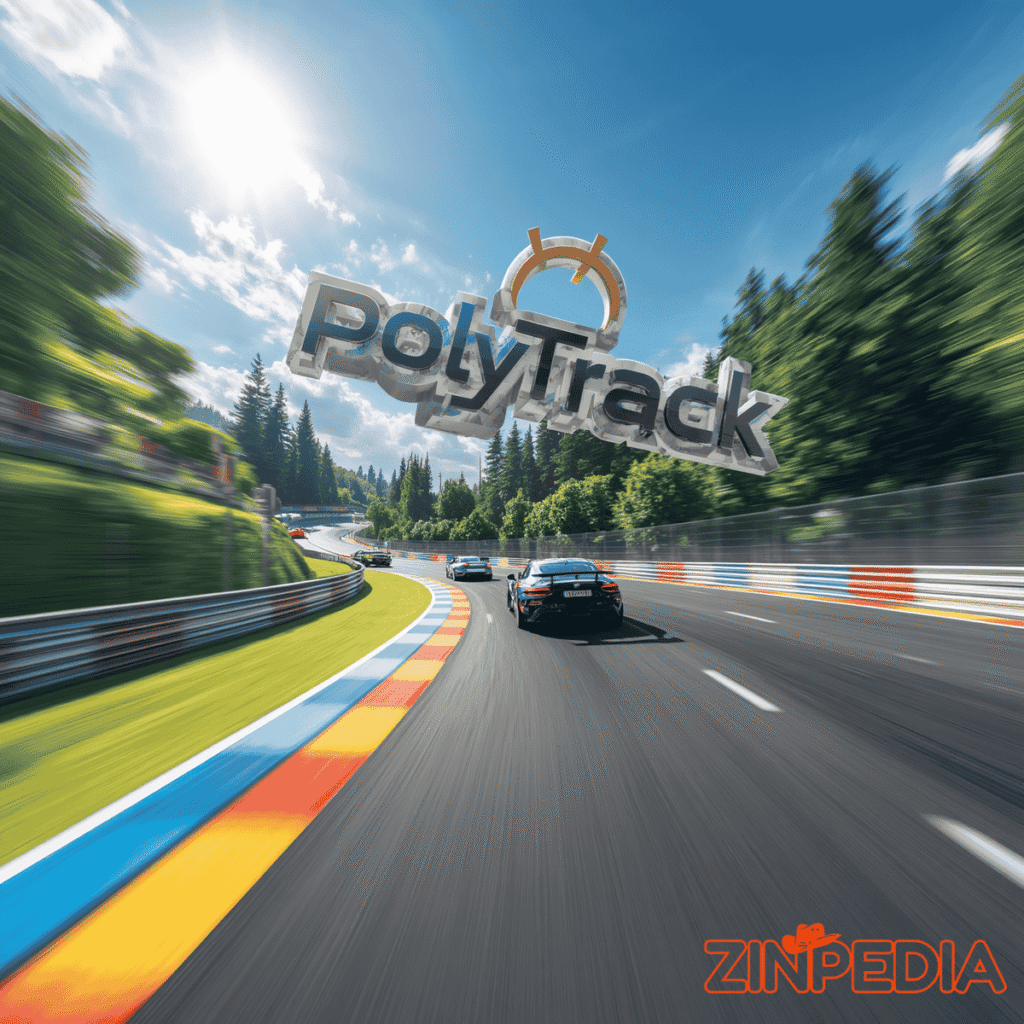
PolyTrack is a fast and exciting low-poly racing game where speed, control, and timing matter more than anything else. The game looks simple at first, but once you start playing, you quickly understand why so many players enjoy it. Every track is a challenge. Every corner can save or waste time. Every jump needs the right angle. Every restart gives you another chance to do better.
The main goal in PolyTrack is simple: complete the track as fast as possible. You are not just driving for fun. You are racing against the clock and trying to improve your best time. That small goal makes the game very addictive. You finish a run, notice one mistake, restart, and try again. A few seconds later, you are already chasing a better result.
PolyTrack is also popular because it is easy to understand. You do not need a long tutorial, expensive setup, or complicated controls. You can start playing quickly and learn by trying. But even though it is easy to start, it is not easy to master. Clean driving, smooth steering, controlled jumps, and good track knowledge are all important if you want faster times.
Another strong part of PolyTrack is its track editor. Players can build their own tracks, test them, and share them with others. This makes the game more than a normal racing game. It becomes a creative racing experience where you can drive, build, and improve.
In this complete guide, you will learn what PolyTrack is, how it works, why it is popular, how to improve your gameplay, and how to get more value from the track editor.
What Is PolyTrack?
PolyTrack is a low-poly racing game focused on time-trial gameplay. “Low-poly” means the game uses simple geometric graphics instead of realistic textures. This gives the game a clean, colorful, and lightweight look. The simple visual style also helps players focus on the track, speed, and driving line.
The game is built around fast tracks with loops, ramps, jumps, sharp turns, and high-speed sections. Your job is to reach the finish line as quickly as possible. The timer is your main opponent. Even a small mistake can affect your final time.
Unlike many racing games that focus on car upgrades, vehicle collections, or open-world maps, PolyTrack keeps the experience direct. You drive, restart, improve, and try again. This makes it perfect for players who enjoy skill-based racing.
The tracks in PolyTrack can include:
- Long jumps
- Loop sections
- Fast downhill roads
- Sharp corners
- Narrow paths
- Ramps
- Technical turns
- Custom player-made routes
The game rewards practice. At first, a track may feel difficult. But after a few attempts, you start to understand where to turn, where to slow down, where to stay straight, and where you can take risks. This learning process is one of the biggest reasons PolyTrack feels satisfying.
Why PolyTrack Is So Popular
PolyTrack is popular because it gives players a clear challenge and quick rewards. You do not have to wait a long time to enjoy the game. You can start a race, make a mistake, restart, and improve within seconds.
This fast loop makes the game highly replayable. Every run gives you a reason to try again. Maybe you missed a jump. Maybe you turned too late. Maybe you lost speed near the finish line. Whatever the mistake is, you usually feel that you can fix it in the next attempt.
That is what creates the “one more try” feeling.
PolyTrack also feels fair. When you crash or lose time, it usually feels like your own mistake. This is important because fair difficulty keeps players motivated. You do not feel cheated by the game. You feel challenged by the track.
The game is also popular because it works for different types of players. Casual players can enjoy short racing sessions. Competitive players can spend time improving their best times. Creative players can use the track editor to build new challenges.
PolyTrack is enjoyable because it combines:
- Simple controls
- Fast gameplay
- Quick restarts
- Skill-based improvement
- Clean low-poly graphics
- Custom track creation
- Strong replay value
It is not trying to be the biggest racing game in the world. It focuses on one thing and does it well: fast, skill-based racing.

How to Play PolyTrack
PolyTrack is easy to play, but good performance takes practice. The basic controls are simple. Players usually drive with WASD or arrow keys. The restart button is also very important because PolyTrack is a game where repeated attempts help you improve.
The basic idea is to drive from start to finish as quickly as possible. But the real challenge is doing it cleanly. If you drive too fast without control, you may fly off the track, miss a turn, or land badly after a jump.
A good PolyTrack run depends on four main things.
First, you need to learn the track. Do not expect a perfect run on your first attempt. Pay attention to corners, jumps, and dangerous areas.
Second, you need smooth steering. Sudden movements can make the car unstable, especially at high speeds.
Third, you need controlled jumps. A bad takeoff often leads to a bad landing. Try to keep your car straight before hitting a ramp.
Fourth, you need quick restarts. If your run is badly ruined, restart and try again. This is not failure. This is how you learn faster.
For beginners, the best strategy is simple: finish the track first, then focus on speed. Once you know the layout, you can start improving your racing line and reducing mistakes.
PolyTrack Controls
The controls in PolyTrack are simple enough for beginners, but they allow skilled players to improve with practice.
Common controls include:
- WASD or arrow keys: Drive and steer the car
- R or Enter: Restart the track
- Mouse controls: Used in the track editor for building and moving around
The restart control is one of the most important parts of the game. In many racing games, restarting can feel annoying. In PolyTrack, restarting is part of the experience. You restart because you know the next run can be better.
The simplicity of the controls is one of the biggest strengths of the game. You do not need to memorize too many buttons. Most of your attention stays on driving, timing, and track learning.
Best PolyTrack Tips for Beginners
If you are new to PolyTrack, do not worry if you crash many times. That is normal. The game is designed around practice and improvement. Every mistake teaches you something.
Here are the best tips to improve faster.
Learn the Track First
Before trying to set a fast time, learn the route. Notice where the difficult turns are. Watch where jumps begin and where you land. Try to understand which sections need speed and which sections need control.
A clean run is better than a wild run. Once you understand the track, speed will come naturally.
Do Not Drive at Full Speed Everywhere
Many beginners hold the accelerator and hope for the best. This usually causes crashes. Some corners need a little control. Some jumps need the right angle more than maximum speed.
In PolyTrack, the fastest run is not always the one where you press forward all the time. The fastest run is usually the one with the fewest mistakes.
Use Smooth Steering
Sharp steering can make your car unstable. Try to make small movements instead of sudden turns. Smooth driving helps you keep speed and stay on the track.
If your car starts moving away from the road, do not panic. Correct it gently. Overcorrecting can make things worse.
Prepare Before Every Jump
A jump starts before the ramp. If your car is not straight before takeoff, your landing will probably be bad. Try to enter ramps with a stable angle.
Good jump preparation can save a lot of time. A clean landing lets you continue at speed instead of losing control.
Restart Quickly
If you crash early or lose too much time, restart. This helps you practice more attempts in less time. Fast restarting is one of the best ways to improve in PolyTrack.
Do not see restarting as failure. See it as training.
Focus on One Problem Area
If you keep losing time on one section, focus on that part. Maybe one turn is too sharp. Maybe one jump is difficult. Maybe one landing slows you down.
Fixing one weak section can improve your whole run.
Advanced PolyTrack Tips for Better Times
Once you understand the basics, you can start thinking like a better racer. Advanced improvement in PolyTrack is about small details. A slightly better angle, a smoother turn, or a cleaner landing can save time.
Find the Best Racing Line
The racing line is the path your car takes through a corner. A good racing line helps you turn smoothly while keeping speed.
In many corners, it helps to start wide, move close to the inside of the turn, and exit wide again. This makes the turn smoother and helps you avoid losing speed.
Do not always follow the middle of the road. Sometimes the best path is different from the most obvious path.
Control Speed Before Corners
If you enter a corner too fast, you may slide wide or leave the track. A small speed adjustment before the corner can help you exit faster.
This is an important idea: slowing down slightly can sometimes make your total time faster. Clean control often beats messy speed.
Watch Your Landings
After jumps, pay attention to how your car lands. If you land at an angle, you may lose speed or control. A straight landing is usually better.
Try to land in a way that sets you up for the next section. Do not only think about the jump. Think about what comes after the jump.
Stay Calm During a Good Run
When you know you are close to beating your best time, it is easy to get nervous. Many players make mistakes near the finish because they try too hard.
Stay calm. Keep your steering smooth. Finish the run cleanly.
PolyTrack Track Editor
The track editor is one of the best features of PolyTrack. It allows players to create their own tracks instead of only playing built-in routes. This adds creativity and gives the game much more replay value.
With the track editor, you can build different types of tracks. You can create a simple beginner track, a fast speed track, a technical challenge, or a wild stunt course with loops and jumps.
But a good custom track is not just about adding random ramps and turns. A good track should feel fun, fair, and smooth. Players should feel challenged, not confused.
When building a track, think about the player experience. Ask yourself:
- Is the track easy to understand?
- Are the jumps fair?
- Is there enough space to land?
- Do the corners feel natural?
- Is the difficulty balanced?
- Would someone want to replay this track?
A strong custom track usually has a good flow. One section should connect naturally to the next. A fast section can lead to a jump. A jump can lead to a wide landing zone. A technical turn can come after a straight road.
The best tracks make players want to improve. If a track feels impossible or unfair, many players will stop. But if it feels challenging and possible, players will try again.
Tips for Building Better Tracks in PolyTrack
If you want to create better tracks, start simple. Many new creators try to build huge tracks immediately. This can become messy. A short, polished track is usually better than a long, confusing one.
Start with a clear idea. Decide what kind of track you want to build. Is it a speed track? A stunt track? A beginner-friendly track? A difficult technical track?
After that, build step by step.
Use these tips:
- Keep the first section simple so players can understand the track.
- Add jumps only where players have enough speed.
- Give enough space for landing.
- Avoid unfair turns immediately after big jumps.
- Test the track many times.
- Make sure the finish line feels satisfying.
- Do not make every section difficult.
- Mix fast sections with control sections.
A great PolyTrack track should have balance. If it is too easy, players may get bored. If it is too hard, players may quit. The best tracks sit between both. They challenge players but also make them believe they can improve.
Common Mistakes Players Make in PolyTrack
Every player makes mistakes, especially in the beginning. Knowing these mistakes can help you improve faster.
Going Too Fast Too Soon
Speed feels exciting, but too much speed without control causes crashes. Learn the track before pushing for maximum speed.
Turning Too Late
If you wait too long to turn, you may miss the corner. Try to prepare early, especially on sharp turns.
Bad Jump Angles
Many failed runs happen because of bad jump angles. Keep your car straight before a ramp and avoid turning at the last second.
Oversteering
Turning too hard can make the car unstable. Use smooth and small steering movements.
Ignoring the Road Ahead
Do not only look at your car. Look ahead so you can prepare for the next turn, jump, or narrow section.
Giving Up Too Quickly
Some tracks feel hard at first, but they become easier with practice. Restart, learn, and keep improving.
Is PolyTrack Worth Playing?
Yes, PolyTrack is worth playing if you enjoy fast racing games, simple controls, and skill-based challenges. It is easy to start, but it gives enough depth for players who want to improve.
PolyTrack is especially good for people who like short gaming sessions. You can play a few runs in a short break and still feel progress. At the same time, it also works for longer sessions because you can keep trying to beat your best time or create custom tracks.
The game is also a good choice for creative players. The track editor gives you the freedom to build your own racing challenges. This makes the game more replayable than many simple browser racing games.
PolyTrack may not be for everyone. If you want a realistic car simulation, real car brands, or deep vehicle customization, this may not be the best choice. But if you want speed, control, quick restarts, and fun tracks, PolyTrack is a great option.
Who Should Play PolyTrack?
PolyTrack is a good game for players who enjoy learning through practice. It is not only about winning. It is about improving little by little.
You may enjoy PolyTrack if you like:
- Fast racing games
- Browser games
- Time-trial challenges
- TrackMania-style gameplay
- Simple controls
- Low-poly graphics
- Custom track building
- Games that are easy to play but hard to master
It is also good for players who like personal challenges. You do not always need another opponent. Sometimes the best challenge is your own best time.
Why PolyTrack Feels Different From Other Racing Games
Many racing games focus on realistic graphics, car upgrades, or large maps. PolyTrack takes a different path. It focuses on clean racing and track mastery.
This makes the game feel direct and focused. You always know what your goal is. Finish faster. Drive cleaner. Improve your time.

The low-poly style also helps the game feel smooth and readable. The tracks are easy to see, and the simple design keeps the focus on gameplay.
The track editor also makes PolyTrack different. Instead of only playing what the game gives you, you can create your own challenges. This gives players more control and makes the game last longer.
PolyTrack stands out because it keeps things simple but meaningful. It does not need too many features to be fun. Its strength comes from speed, skill, and replayability.
FAQs About PolyTrack
Q1: What is PolyTrack?
A: PolyTrack is a low-poly racing game where players drive through tracks with loops, jumps, ramps, and sharp turns. The main goal is to finish as fast as possible and improve your best time.
Q2: Is PolyTrack free to play?
A: PolyTrack is commonly available as a free online browser game on different platforms. Availability can depend on where you choose to play it.
Q3: How do you play PolyTrack?
A: You drive the car using WASD or arrow keys. Your goal is to complete the track quickly. If you make a mistake, you can restart and try again.
Q4: What are the controls in PolyTrack?
A: The main controls are usually WASD or arrow keys for driving and R or Enter for restarting the track.
Q5: Does PolyTrack have a track editor?
A: Yes, PolyTrack includes a track editor. Players can build custom tracks, test them, and share them with others.
Q6: Is PolyTrack hard?
A: PolyTrack is easy to start but difficult to master. Beginners can learn the controls quickly, but getting faster times takes practice.
Q7: How can I get better at PolyTrack?
A: To get better, learn the track layout, use smooth steering, control your jumps, restart quickly after mistakes, and focus on improving one difficult section at a time.
Q8: Why is PolyTrack popular?
A: PolyTrack is popular because it is fast, simple, challenging, and replayable. The quick restart system and track editor make it even more enjoyable.
Q9: Can beginners play PolyTrack?
A: Yes, beginners can play PolyTrack. The controls are simple, and the game is easy to understand. New players should focus on finishing tracks before trying to set fast times.
Q10: Is PolyTrack a realistic racing game?
A: No, PolyTrack is not a realistic racing simulator. It is more of a fast, skill-based arcade racing game with low-poly visuals and creative track design.
Conclusion
PolyTrack is a fast, fun, and skill-based low-poly racing game that keeps players coming back with simple controls, quick restarts, and exciting tracks. It is easy to understand but challenging to master, which makes it enjoyable for both beginners and experienced players.
The game works because every run feels useful. Even when you crash, you learn something. Even when you miss your best time, you understand where you can improve. This constant progress is what makes PolyTrack addictive.
The track editor adds even more value by allowing players to create and share their own tracks. This gives the game long-term replay value and makes it more creative than a normal racing game.
If you are new to PolyTrack, start slowly. Learn the tracks, focus on smooth driving, and do not worry about perfect times at first. Once you understand the basics, start improving your racing line, controlling your jumps, and chasing faster times.
PolyTrack is not just about reaching the finish line. It is about getting better every time you play. That is what makes it one of the most enjoyable low-poly racing games for players who love speed, practice, and creative challenges.
Explore More Helpful Articles– Visit Now