

Looking for a quick browser game but keep seeing names such as Unblocked Games 67, Unblocked Games 6X, Unblocked Games 76 and Unblocked Games G+?
You are not alone.
These names appear frequently when people search for free games that run directly in a web browser. They are especially popular among Chromebook users and players who do not want to install large applications.
However, there is an important detail many guides overlook: these names do not always represent four clearly defined companies or official gaming networks. Several Google Sites, GitHub pages, independent websites, and game directories may use the same names. Search results currently show multiple unrelated pages using the Unblocked Games 67 and Unblocked Games 76 names, for example.
That can make choosing a reliable platform confusing.
This guide explains what these platforms are, how they usually work, what kinds of games they offer, how the four names differ, and what you should check before opening an unfamiliar gaming page.
What Are Unblocked Browser Games?
Unblocked games are usually lightweight games designed to run inside a web browser without requiring a traditional desktop installation.
Most use modern browser technologies such as HTML5, JavaScript, or WebGL. This allows players to open a page, wait for the game to load, and begin playing with a keyboard, mouse, or touchscreen.
The word “unblocked” normally means that the webpage is accessible on a particular network. It does not guarantee that the game is approved by a school, employer, parent, or network administrator.
It also does not guarantee that the website is safe.
A page may be accessible simply because it has not yet been added to a network filter. Players should therefore treat “unblocked” as a description of accessibility—not as a security certificate or official recommendation.
Common features of these gaming collections include:
- Games that run directly in a browser
- No mandatory account for basic play
- Simple category menus
- Fullscreen or expanded play modes
- Keyboard and touchscreen support
- Short arcade-style sessions
- Compatibility with many Chromebooks
- A mixture of puzzle, racing, sports and action games
Some collections claim to offer hundreds of games, but the real number of working titles can change. Games may be removed, embedded files may stop loading, and entire directories may be abandoned. One large Unblocked Games portal, for example, openly states that it has been deprecated and that broken assets will no longer be repaired.
For that reason, library size should not be the only factor you consider.
Unblocked Games 67 vs 6X vs 76 vs G+
The four names target a similar audience, but their typical presentation and search visibility differ.
| Platform name | Common format | Typical strength | Possible drawback |
|---|
| Unblocked Games 67 | Google Sites and independent portals | Simple navigation and mixed game categories | Several unrelated sites use the same name |
| Unblocked Games 6X | Classroom 6X-style websites | Strong selection of popular arcade and Chromebook games | Quality varies between mirrors |
| Unblocked Games 76 | Large directory-style collections | Broad game discovery and many categories | Links and embedded games may become unavailable |
| Unblocked Games G+ | General browser-game portals | Quick access without complicated registration | The name is used by multiple independent collections |
Unblocked Games 67
Unblocked Games 67 is one of the older and more recognizable search terms in this category.
Pages using this name commonly offer action, racing, puzzle, shooting, sports, and casual games. Some versions are hosted on Google Sites, while others appear on independent domains or developer-hosting services.
Its biggest advantage is simplicity. Many versions use a basic list or grid, allowing visitors to select a game without creating an account.
The main disadvantage is inconsistency.
Because several unrelated websites use the same branding, two users searching for Unblocked Games 67 may land on completely different pages. One version may work smoothly while another may contain broken embeds, excessive advertising, or outdated content.
You should therefore evaluate the exact page you are visiting rather than trusting the number “67” alone.
Unblocked Games 6X
Unblocked Games 6X is frequently connected with the terms Classroom 6X, Class 6X, and 6X Games.
These collections often emphasize browser compatibility and quick access on Chromebooks. Current 6X-related directories promote games such as Run 3, Slope, Fireboy and Watergirl, Retro Bowl, Smash Karts, Basket Random, Drift Hunters, and 1v1.LOL. Availability may differ between websites and can change over time.
Unblocked Games 6X may suit players who prefer:
- Fast arcade games
- Racing and driving challenges
- Sports games
- Two-player games
- Endless runners
- Skill-based platformers
The familiar Classroom 6X name makes these pages easy to search for. Still, it can also create confusion. Different domains can use similar logos, descriptions, or game lists without being operated by the same owner.
Unblocked Games 76
Unblocked Games 76 normally appears as a large browser-game directory rather than a single standalone game.
Pages using this name commonly advertise action, arcade, driving, puzzle, sports, and multiplayer titles. Some collections mention well-known browser games such as Slope, Retro Bowl, Run 3, Minecraft-inspired games, and 1v1.LOL.
The main attraction is variety. A large directory can help users discover games outside the most common recommendations.
The trade-off is reliability.
A directory may depend on games embedded from other websites. If the original game host changes its address, blocks embedding, or removes the file, the game can stop working even though its thumbnail remains visible.
Players may therefore encounter:
- Blank game windows
- Loading screens that never finish
- Missing audio
- Controls that do not respond
- Games that open on another domain
- Pages designed for Flash rather than modern browsers
A well-maintained smaller collection can provide a better experience than a huge directory filled with outdated links.
Unblocked Games G+
Unblocked Games G+—also written as Unblocked Games G Plus or GPlus Games—is another label used for general browser-game collections.
Pages using this name commonly promote free access without mandatory registration or software downloads. Current versions show categories such as arcade, action, sports, driving, multiplayer, simulation, and two-player games.
Its simple approach can be useful for casual players: open the collection, choose a title, and start playing.
Once again, the platform name is not enough to prove who operates the site. Look at the actual domain, connection security, advertising behavior, and permission requests before interacting with it.
What Types of Games Can You Find?
Most collections organize their libraries around a few popular categories.
Puzzle and Logic Games
Puzzle games are suitable for short sessions because they normally have simple controls and clear objectives.
Typical formats include:
- Moving blocks into the correct position
- Connecting matching objects
- Solving physics challenges
- Escaping rooms
- Completing mazes
- Building structures
- Managing limited resources
Puzzle games are often easier to run on older devices because they may require less graphical power than complex 3D games.
Racing and Driving Games
Driving games are among the most common titles on Unblocked Games 67, 6X, and 76-style websites.
Players may race against opponents, complete stunt courses, drift around tracks, or avoid obstacles. Games such as Moto X3M and Drift Hunters frequently appear in browser-game collections, although availability varies by site.
These games usually work best with a physical keyboard because steering often depends on the arrow or WASD keys.
Sports Games
Sports collections may include American football, basketball, soccer, tennis, golf, and simplified two-player competitions.
Classroom 6X-style directories commonly promote Retro Bowl and Basket Random.
Sports games are a good choice for players who want quick rounds instead of a long story campaign.
Platform and Skill Games
Platform games test timing, movement, and coordination.
The player may need to jump across obstacles, avoid traps, climb a tower, or complete a course without falling. Games such as Run 3, OvO, and Slope are commonly associated with this category.
They are easy to understand but can become difficult quickly, which makes them suitable for score-based competition.
Multiplayer and Two-Player Games
Some browser games allow two players to share one keyboard. Others connect players over the internet.
Local two-player games can be convenient because they do not always require an account. Online multiplayer games, however, may include public usernames, chat features, or interactions with strangers.
Younger players should use multiplayer features only with appropriate supervision and should never share personal information in public chat.
How to Choose a Safer Unblocked Games Website
The biggest mistake is assuming that a website is trustworthy simply because it appears near the top of a search page.
Search visibility and safety are not the same thing.
Before playing, check the following points.
1. The Game Runs Without a Download
A normal HTML5 browser game should usually open inside the webpage.
Be careful when a site unexpectedly asks you to download:
- An executable file
- A browser extension
- An APK file
- A ZIP or RAR archive
- A “special game launcher”
- A browser update
- A security cleaner
Chrome automatically blocks some dangerous or suspicious downloads, and Google advises users to take these warnings seriously rather than bypassing them.
2. It Does Not Request Sensitive Information
A casual browser-game collection should not need your banking details, school login, work password, or identity documents.
Avoid entering an important password into an unfamiliar gaming page. Do not reuse the password connected to your email, Google account, social media profile, or school portal.
3. Advertising Does Not Imitate System Messages
Some unsafe pages use advertisements that look like virus warnings, download buttons, or browser notifications.
A message claiming that your device is infected does not necessarily come from your operating system. Google warns that deceptive websites may display fake virus messages to persuade visitors to install harmful software.
Close the tab when a page:
- Opens repeated pop-ups
- Redirects you without permission
- Claims you must install an extension
- Asks you to turn off browser protection
- Displays several fake download buttons
- Requests notification permission before the game loads
4. Safe Browsing Remains Enabled
Chrome Safe Browsing checks websites, extensions, and downloads for known security risks such as phishing, malware, abusive extensions, and harmful advertisements. Google recommends keeping at least Standard Protection enabled.
Do not turn off browser security because a gaming website tells you to do so.
5. The Website Explains Who Operates It
A trustworthy platform should ideally provide basic information such as:
- An About page
- A privacy policy
- Contact details
- Clear advertising disclosures
- Terms of use
- Content or copyright information
The absence of one page does not automatically make a website dangerous, but complete anonymity gives users less accountability if a problem occurs.
Quick Safety Checklist
Before opening a game, ask:
- Does the address look normal?
- Is the browser showing a security warning?
- Can I play without installing anything?
- Is the site requesting unnecessary permissions?
- Are the advertisements clearly separated from game controls?
- Does the page redirect me to unrelated websites?
- Am I allowed to access this page on the current network?
If something feels suspicious, close the page and choose a more established gaming or educational platform.
Why an Unblocked Game May Not Load
Even a legitimate browser game can fail to open.
Here are the most common causes and safe troubleshooting steps.
The Game Was Removed
The collection may still display an old thumbnail even though the actual game file no longer exists.
Try another game from the same category. If several titles fail, the directory may no longer be actively maintained.
The Embed Is Broken
Many game directories display content hosted somewhere else. A change made by the original host can break the embedded version.
There may be nothing you can fix locally. Search for an official version of the game or choose another title.
The Browser Is Outdated
Modern games may require newer browser features.
Update Chrome, Edge, Firefox, or Safari through the browser’s official update system. Never install an “update” offered through a random game advertisement.
Hardware Acceleration Is Unavailable
Some 3D games depend on WebGL and graphics acceleration. They may perform poorly on older Chromebooks, low-memory tablets, or devices where graphics features have been turned off by an administrator.
Closing unused tabs may free enough memory to improve performance.
Cookies or Cached Files Are Corrupted
Reload the page first. If that does not help, clear the site’s cached data through your browser settings and reopen it.
Avoid deleting all browser data unless necessary, as this can sign you out of other websites.
The Network Blocks the Page
A school or workplace may intentionally restrict gaming websites.
Do not install a VPN, proxy, unauthorized extension, or other bypass tool on a managed device. Use an approved website, play on your own network outside work or study time, or ask the administrator whether recreational browser games are permitted.
Which Platform Is Best?
There is no universal winner because the experience depends on the exact website using each name.
Choose Unblocked Games 67 when you want a straightforward mixed collection and have identified a clean, stable version.
Choose Unblocked Games 6X when you prefer familiar Classroom 6X-style arcade, racing, sports, and platform games.
Choose Unblocked Games 76 when you want a large directory and are willing to check whether individual games still work.
Choose Unblocked Games G+ when you want a simple general collection without complicated navigation.
More importantly, judge the individual website by:
- Safety
- Loading speed
- Number of working games
- Mobile and Chromebook compatibility
- Advertising quality
- Privacy
- Ease of navigation
- Frequency of updates
A smaller website with 50 working games is usually more useful than a platform advertising 1,000 titles when most of its links are broken.
Responsible Use at School and Work
Browser games can provide a short break, but they should not interfere with learning, work, deadlines or other responsibilities.
A website being technically accessible does not mean its use is permitted.
Schools and employers may restrict entertainment websites to protect network performance, reduce security risks, keep devices focused on their intended purpose or meet safeguarding requirements.
Use these platforms responsibly:
- Play only during approved breaks or personal time
- Follow school and workplace internet policies
- Do not attempt to defeat network controls
- Keep sound muted in shared spaces
- Avoid multiplayer chat with strangers
- Do not save personal passwords on shared devices
- Close the game when your break ends
- Prefer age-appropriate games
- Ask a parent, teacher, or administrator when unsure
Responsible use protects both your access and your device.
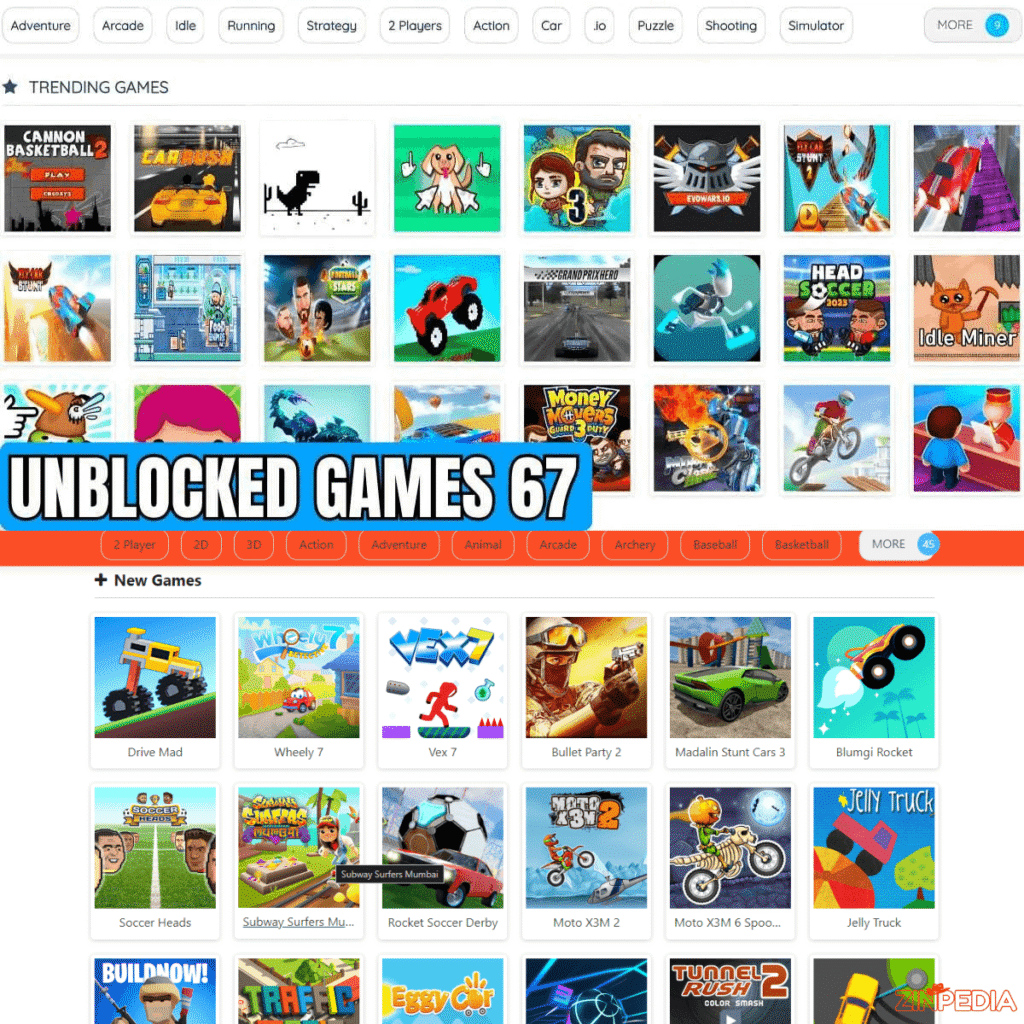
Frequently Asked Questions
What is Unblocked Games 67?
Unblocked Games 67 is a name used by several browser-game collections. These pages normally offer free arcade, puzzle, racing, action, and sports games, but they are not necessarily operated by one organization.
What is Unblocked Games 6X?
Unblocked Games 6X generally refers to Classroom 6X-style gaming websites. They are known for browser-friendly titles such as Slope, Run 3, Retro Bowl, Fireboy and Watergirl, and other short arcade games. The selection differs between domains.
What is Unblocked Games 76?
Unblocked Games 76 is a search term and platform name associated with large online game directories. Different versions offer different libraries, and some games may stop working when their original hosting source changes.
What is Unblocked Games G+?
Unblocked Games G+ is a label used by browser-game portals that provide categories such as action, arcade, racing, sports, multiplayer, and simulation. Multiple independent websites currently use G+ or GPlus branding.
Are unblocked games free?
Most collections advertise free browser play. However, a page may still display advertisements, offer optional purchases, or redirect users to third-party services. Always read the page carefully before agreeing to a payment or subscription.
Do unblocked games require a download?
Most genuine browser games should not require one. Avoid pages that insist on installing an extension, launcher, executable file, or unofficial browser update.
Are all unblocked games safe?
No. “Unblocked” only describes accessibility on a particular network. It does not prove that the website is secure, age-appropriate, or officially licensed. Keep browser protection active and leave any page that displays security warnings or suspicious download requests.
Can I play these games on a Chromebook?
Many HTML5 browser games can run on Chromebooks without additional software. Performance depends on the game, device specifications, browser version, and administrator settings.
Why does a game show a blank screen?
The embedded file may be broken, removed, or blocked. The game might also need browser features unavailable on the device. Refresh the page, update the browser through its official settings, and try another game.
Which is better: Unblocked Games 67 or 76?
Unblocked Games 67 versions often feel simpler, while Unblocked Games 76 versions commonly emphasize larger directories. The better choice is the exact website that provides safer browsing, fewer intrusive ads, and more working games.
Final Thoughts
Unblocked Games 67, Unblocked Games 6X, Unblocked Games 76, and Unblocked Games G+ all describe collections of browser-based games, but their names can be misleading.
They are not always four fixed platforms with one official owner, one library, or one standard of quality. Multiple independent websites can use the same label, and their content may change or disappear without warning.
Instead of choosing a site because of its name alone, focus on the experience.
Look for games that run directly in the browser, avoid unnecessary downloads, keep Safe Browsing enabled, and leave pages that request suspicious permissions or display deceptive advertisements. Most importantly, follow the rules of your school, workplace, or shared network.
A good browser-game platform should offer more than a long list of titles. It should provide working games, simple navigation, reasonable advertising, and a safer experience for the people using it.
Explore More Helpful Articles– Visit Now