

Finding a good online game should not feel like a difficult task. Yet many gaming websites slow users down with large downloads, complicated registration pages, misleading buttons, or software that takes up valuable device storage.
Crazy Games offers a more direct experience. The platform, officially written as CrazyGames, allows users to open many games directly in a supported web browser. Players can explore action, racing, puzzle, sports, adventure, simulation, and multiplayer titles without installing each game separately.
The official CrazyGames homepage currently lists more than 4,500 browser games. It also highlights familiar titles such as Shell Shockers, Agar.io, UNO Online, Geometry Dash, Moto X3M, and Smash Karts. The available games and featured rankings can change as the platform adds or updates content.
However, a large library creates another problem: where should a new player begin?
This guide explains how Crazy Games works, which categories are worth exploring, how to choose games for different devices, and what users should know about privacy, multiplayer features, and child safety.
What Is Crazy Games and How Does It Work?
CrazyGames is a browser-gaming platform operated by the Belgium-based company Maxflow BV. It connects players with games created by a large network of independent studios and developers. The platform’s developer portal supports technologies such as HTML5, WebGL, and Unity WebGL, which allow developers to publish games that run through modern web browsers.
The basic playing process is straightforward:
- Open the CrazyGames website.
- Select a category or search for a game.
- Open the game page.
- Review the controls and device requirements.
- Start playing inside the browser.
Many games do not require a separate download or installation. The official website supports desktop computers, laptops, Chromebooks, smartphones, and tablets, although compatibility still depends on the individual game and browser. CrazyGames also provides mobile applications, but users can access many titles through the website itself.
Players may use the platform with or without a CrazyGames account. Creating an account can provide additional platform features, but it is not necessary for simply opening many of the available games.
Crazy Games or CrazyGames?
People commonly type crazy games as two separate words when searching online. The official brand name is written as one word:
CrazyGames
This distinction matters because unrelated websites may use similar names. Checking the spelling and website address can help players avoid unofficial copies, unnecessary downloads, and misleading advertisements.
Why Browser Games Remain Popular
Modern console and PC games can require large downloads, regular updates, and powerful hardware. Browser games offer a lighter alternative.
A user can open a game, play for a few minutes, and close the page without installing a separate program for every title. This flexibility is useful for casual players who do not want to commit to a long campaign or use significant storage space.
Instant Access
The strongest advantage is speed. Players can move from browsing to gameplay without waiting for a traditional installation.
Loading time still depends on the game, internet connection, and device. A detailed 3D multiplayer title may require more resources than a simple word puzzle. However, the basic process is usually faster than downloading a full desktop game.
Large Variety
CrazyGames organizes its library into broad categories, including:
- Action
- Adventure
- Arcade
- Board
- Card
- Clicker
- Driving
- .io
- Puzzle
- Shooting
- Simulation
- Sports
- Strategy
- Trivia
- Word games
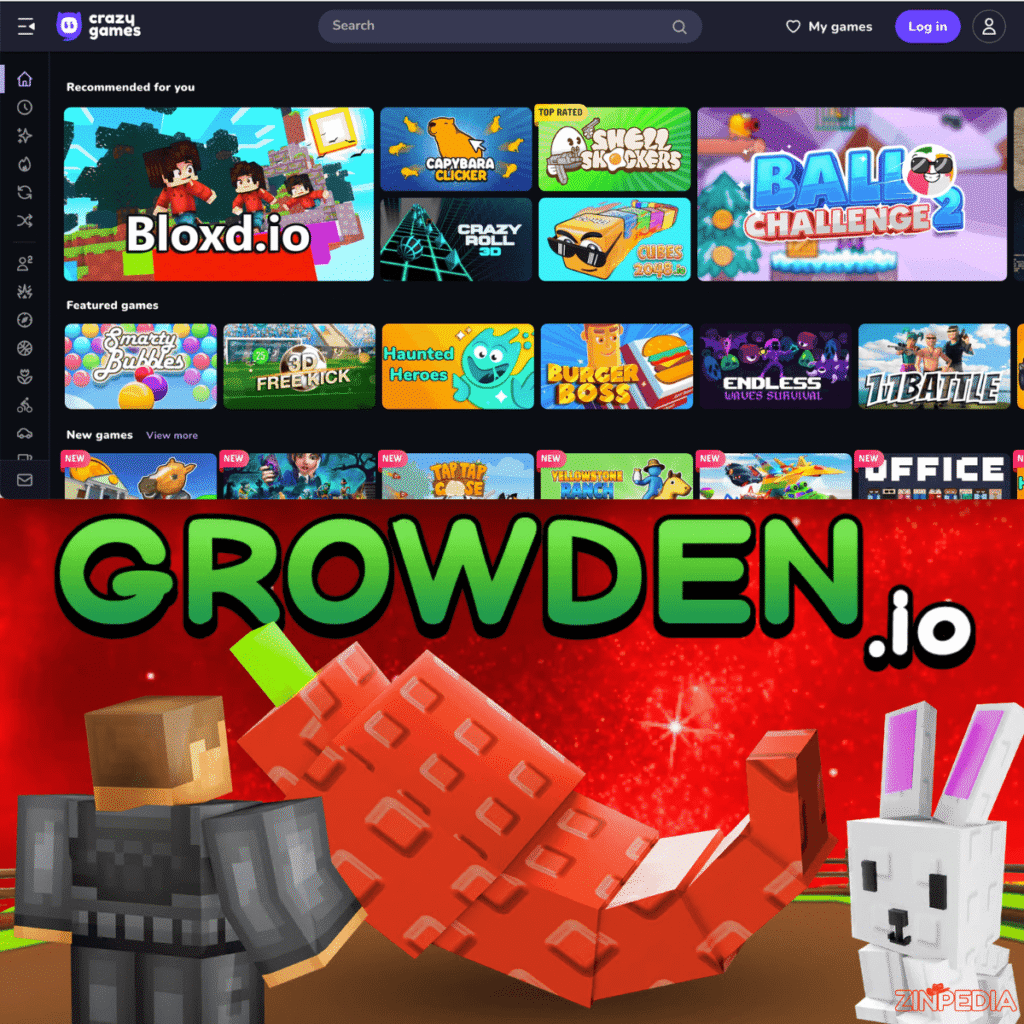
The homepage also includes sections for new releases, popular titles, updated games, CrazyGames Originals, multiplayer games, and leaderboards.
This variety makes the website useful for different types of players. Someone may want a competitive shooter, while another person may prefer a slow puzzle or a simple driving challenge.
Flexible Session Length
Browser games can support both short and long sessions. A player may complete a quick puzzle during a break or spend more time developing a character, building a business, or competing in multiplayer matches.
The best option depends on the player’s available time. Games involving upgrades and progression can be enjoyable, but they may not be ideal when the user has only a few minutes.
Simple Controls
Many Crazy Games titles use familiar controls such as:
- Arrow keys
- WASD keys
- Mouse movement
- Left or right mouse clicks
- Spacebar
- Touchscreen tapping
- Swiping
- On-screen virtual controls
Control instructions are normally displayed on the individual game page. Reading them before starting can prevent confusion, particularly when switching between desktop and mobile devices.
Best Crazy Games Categories to Explore
The best category depends on whether a player wants competition, relaxation, creativity, or problem-solving. Rather than choosing a game only because it appears popular, users should first consider what type of experience they want.
Action and Shooting Games
Action games emphasize movement, timing, combat, and quick decisions. The category may include fighting, survival, platforming, shooting, and driving elements within the same title.
Current action listings on CrazyGames include online battle, stickman, survival, and vehicle-based games. Because featured titles change regularly, players should use the category page to see the latest popular and updated options.
Action games are suitable for players who enjoy:
- Fast reactions
- Short competitive rounds
- Character movement
- Combat challenges
- Increasing difficulty
- Score-based progression
New players should begin with a game that has a clear tutorial. Complex multiplayer action games may feel frustrating when the user does not understand the movement, aiming, or upgrade systems.
Racing and Driving Games
Driving games can range from realistic racing to motorcycle stunts, drifting, parking, and obstacle courses. These games are often easy to understand because the basic objective is visible immediately: control the vehicle and reach the destination.
However, control styles vary considerably. Some titles focus on careful steering, while others use exaggerated physics and reward risky jumps.
Before playing, check whether the game requires:
- Keyboard steering
- Manual acceleration and braking
- Touch controls
- Camera adjustment
- Vehicle upgrades
- Online competition
A slower driving game may work better on a touchscreen, while a detailed racing title may feel more comfortable with a keyboard.
Puzzle and Thinky Games
CrazyGames describes its puzzle category as covering challenges involving memory, logical thinking, pattern recognition, and problem-solving. Both single-player and two-player options are available.
Puzzle games are a strong choice when players want something calmer than an action title. They can include:
- Match-three puzzles
- Number challenges
- Word searches
- Sorting games
- Escape puzzles
- Mahjong
- Physics problems
- Block-placement games
A good puzzle game introduces its rules clearly and increases difficulty gradually. A confusing interface should not be mistaken for meaningful difficulty.
Sports Games
The sports section includes football, basketball, pool, golf, boxing, wrestling, baseball, bowling, and other competitive activities. Current listings feature titles such as 8 Ball Billiards Classic, Basketball Stars, Mini Golf Club, and Basket Random, although rankings can change over time.
Sports games can be divided into two broad types.
Simulation-style titles attempt to reproduce the rules or movement of a real sport. Arcade-style games use simplified controls, unusual physics, or exaggerated actions.
Players who want a realistic experience should look for games with detailed rules and longer matches. Players who want quick entertainment may prefer arcade sports games with shorter rounds.
Casual and Clicker Games
Casual games usually have simple rules and require less preparation than competitive shooters or strategy games. CrazyGames describes them as accessible games aimed at a broad audience.
Clicker and idle games often begin with one repeated action. The player gradually earns currency, unlocks improvements, and automates parts of the process.
These games can be satisfying for users who enjoy visible progress. However, some may become repetitive. Before investing a long session, consider whether the upgrades create meaningful new decisions or only increase numbers.
Crazy Games Multiplayer and Two-Player Options
Multiplayer gaming is one of the platform’s most attractive features. CrazyGames offers titles where players can compete online, cooperate with friends, or share one device.
The platform separates multiplayer experiences into several formats.
Online Multiplayer Games
Online titles connect players over the internet. Depending on the game, users may join public matches, compete against strangers, or enter a session with friends.
The official multiplayer section includes games such as Bloxd.io, Smash Karts, Shell Shockers, and other active online titles. Available games and rankings are updated regularly.
Online multiplayer is suitable for players who enjoy unpredictable competition. Human opponents do not follow fixed patterns in the same way as computer-controlled characters.
However, online games may include chat, usernames, or other social features. Players should avoid sharing their real name, location, school, phone number, or personal contact details. CrazyGames specifically advises users not to use their real name or disclose personal information inside games, particularly during multiplayer activity.
Local Two-Player Games
Local multiplayer allows two people to play on the same computer, tablet, or device. The players may share a keyboard or use separate areas of a touchscreen.
CrazyGames describes its two-player section as including sports, board games, and other competitive or cooperative options that can be played on one screen.
These games work well when:
- Friends are in the same room
- The internet connection is unreliable
- Players want short competitive rounds
- A family wants to play together
- Users prefer not to interact with strangers online
Before beginning, check the controls carefully. Shared-keyboard games commonly assign different keys to each player.
.io Games
The .io category generally contains simple online multiplayer games built around quick rounds, leaderboards, and competition with other users.
CrazyGames currently highlights titles such as Slither.io, Shell Shockers, Smash Karts, Rocket Bot Royale, and Pixel Warfare in its .io collection.
These games are often easy to begin because the objective can be understood quickly. Reaching the top of the leaderboard, however, may require practice, map knowledge, and a good understanding of how other players behave.
How to Find a Good Game Without Wasting Time
A website with thousands of choices can create decision fatigue. Scrolling through random thumbnails may lead to several disappointing games before finding the right one.
A more useful method is to filter games according to device, session length, and preferred challenge.
Choose the Mood First
Ask what type of experience you want.
For fast competition, choose action, shooting, racing, or multiplayer.
For relaxation, try casual, coloring, card, or sorting games.
For mental challenge, explore puzzle, word, trivia, or strategy categories.
For social play, use multiplayer or local two-player sections.
For long-term progress, select simulation, management, idle, or adventure titles.
Check the Game Page
Before starting, review the information provided with the game. Look for:
- Control instructions
- Supported devices
- Developer information
- Release or update details
- Game description
- Multiplayer features
- Fullscreen availability
- User rating or feedback
A game may look interesting, but still be unsuitable for the current device. Checking compatibility first saves time.
Use Popular and Updated Sections Carefully
Popular lists can be helpful because they show what other users are currently playing. However, popularity does not guarantee that a game matches your interests.
Updated sections are useful for finding games that have received new content, bug fixes, or improvements. New-game pages can help users discover recent releases before they become widely known.
Test Before Committing
Give a game a few minutes to explain its main idea. If the controls remain unclear, performance is poor, or the experience does not match the description, choose another title.
A large free browser library makes experimentation easy. There is little reason to continue playing a game that immediately feels unsuitable.
Is Crazy Games Safe for Children?
Parents should distinguish between the main CrazyGames platform and the separate CrazyGames Kids website.
The main platform is intended for users aged 13 or older, or the applicable minimum age in the user’s country. CrazyGames provides a dedicated Kids Site for younger children. Its privacy policy states that the Kids Site has no user login or chat system and does not enable personalized advertising.
Parents should direct younger children to the dedicated Kids Site rather than allowing them to browse the full platform without supervision.
Review Games Individually
A general category label does not guarantee that every game is suitable for every child. Parents should consider:
- Violence level
- Online interaction
- Chat features
- Advertising
- Difficulty
- Frustration level
- In-game links
- Data requests
- Age suitability
Playing the game briefly before giving access to a child is often the most reliable approach.
Protect Personal Information
Children and teenagers should never share personal details with unknown players. This includes:
- Real names
- Home addresses
- School names
- Phone numbers
- Email addresses
- Passwords
- Social-media accounts
- Live location
- Personal photographs
Usernames should not reveal identifying information. A random nickname is safer than a full name combined with a birth year.
Set Clear Screen-Time Limits
Browser games are easy to start, which also makes it easy to continue longer than intended.
A clear limit should be agreed upon before the session starts. For example, a child may play for a defined number of minutes or complete a certain number of rounds.
Gaming should not regularly replace sleep, homework, exercise, or family activity. The goal is balance, not complete avoidance.
Common Crazy Games Problems and Easy Fixes
Even browser games can experience technical issues. Most problems are connected to the browser, internet connection, device memory, or game compatibility.
The Game Will Not Load
Refresh the page once and wait for the game assets to load. If the problem continues:
- Confirm that the internet connection is working
- Close unused browser tabs
- Disable extensions that may block game content
- Update the browser
- Clear the site cache
- Try a different supported browser
- Restart the device
Clearing browser data may remove locally stored game progress, so use that option carefully.
The Game Is Lagging
Lag may occur when the device is processing too many tasks or when the internet connection is unstable.
Close unnecessary programs and reduce the game’s graphics settings when available. Leaving full-screen mode may also improve performance on older devices.
For online multiplayer, use a stable connection. Network delay can make controls feel slow, even when the device itself is powerful enough.
Keyboard Controls Do Not Respond
Click inside the game window before pressing the keys. The browser may not recognize keyboard input until the game area is active.
Check whether the game uses WASD, arrow keys, or a different control layout. Also, make sure that another browser element, search box, or chat field is not currently selected.
There Is No Sound
Check four separate places:
- The in-game sound control
- The browser tab
- The operating-system volume
- The device speakers or headphones
Some browsers block audio until the user clicks or taps the page. Interacting with the game once may activate the sound.
Saved Progress Has Disappeared
Some browser games store progress locally through cookies or browser storage. Progress may disappear after:
- Clearing cookies
- Using private-browsing mode
- Changing browsers
- Switching devices
- Reinstalling the browser
- Resetting site data
An account may help preserve certain platform features, but save behavior depends on the individual game and developer.
Frequently Asked Questions
What is Crazy Games?
Crazy Games, officially written as CrazyGames, is an online platform containing thousands of browser-based games across categories such as action, racing, puzzle, sports, simulation, and multiplayer.
Are Crazy Games free to play?
CrazyGames presents its main collection as free online browser games. The platform is supported partly through advertising, and some individual third-party games may have their own optional features or systems.
Do Crazy Games require a download?
Many games can be opened directly in a supported browser without downloading a separate program for each title. CrazyGames also offers mobile applications, but the website itself supports many desktop and mobile games.
Can I play Crazy Games on a phone?
Yes. Many CrazyGames titles support smartphones and tablets. Compatibility and control quality depend on the individual game.
What are the most popular Crazy Games?
The official homepage currently highlights games such as Shell Shockers, Agar.io, UNO Online, Geometry Dash, Moto X3M, and Smash Karts. Popular rankings can change as user interest and the game library evolve.
Does CrazyGames have multiplayer games?
Yes. The platform includes online multiplayer, local multiplayer, and two-player games. Players can compete with strangers, invite friends, or share the same device, depending on the title.
Can two people play on the same computer?
Yes. The local two-player section includes games designed for two users sharing one screen and, in many cases, one keyboard.
Is CrazyGames safe for children?
The main platform is intended for users aged 13 or above, subject to the applicable minimum age in their country. CrazyGames provides a separate Kids Site for younger children. Parents should still review individual games and supervise online activity.
Is an account required?
CrazyGames states that users may access its platform with or without an account. Some features may work differently depending on whether the player signs in.
Why is CrazyGames not working?
Common causes include a slow internet connection, an outdated browser, blocked scripts, insufficient device memory, or a game that does not support the current device. Refreshing the page, closing extra tabs, or switching browsers may resolve the issue.
Does CrazyGames still have old Flash games?
The platform provides some older Flash games through browser emulation technology, such as Ruffle, because the original Adobe Flash Player is no longer active.
Is CrazyGames the same as a “crazy games” category?
No. CrazyGames is the name of a specific browser-gaming platform. The phrase “crazy games” can also be used generically to describe unusual or chaotic games on other websites.
Final Thoughts
Crazy Games provides a convenient way to explore thousands of free browser titles without installing every game separately. Its library covers everything from quick puzzles and casual clickers to detailed simulations, competitive shooters, and online multiplayer experiences.
The platform’s greatest advantage is choice. Players can begin with a simple one-player game, challenge a friend on the same keyboard, or enter an online match against users from around the world.
That variety also makes careful selection important. Check the controls, confirm device compatibility, and choose a category that fits the amount of time available. Younger users should use the dedicated CrazyGames Kids website with parental guidance, while online players should protect their identity and avoid sharing personal information.
The best Crazy Games experience is not necessarily the most popular title on the homepage. It is the game that runs well on your device, matches your interests, and remains enjoyable without disrupting other responsibilities.
Explore More Helpful Articles– Visit Now